What is IDhen?
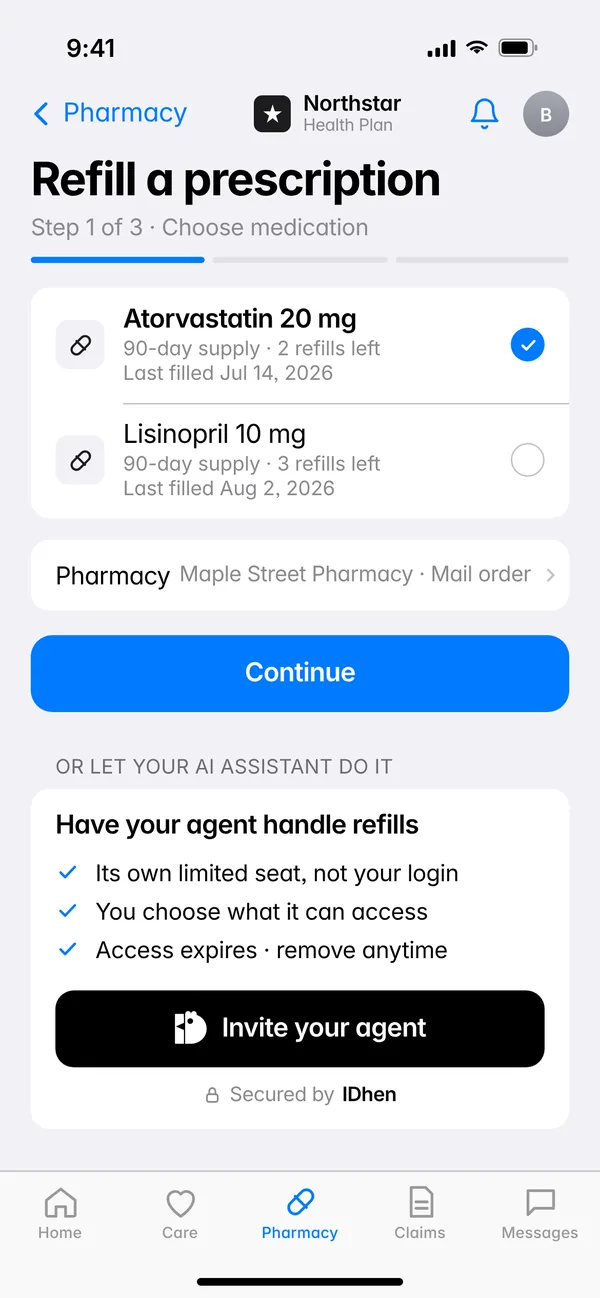
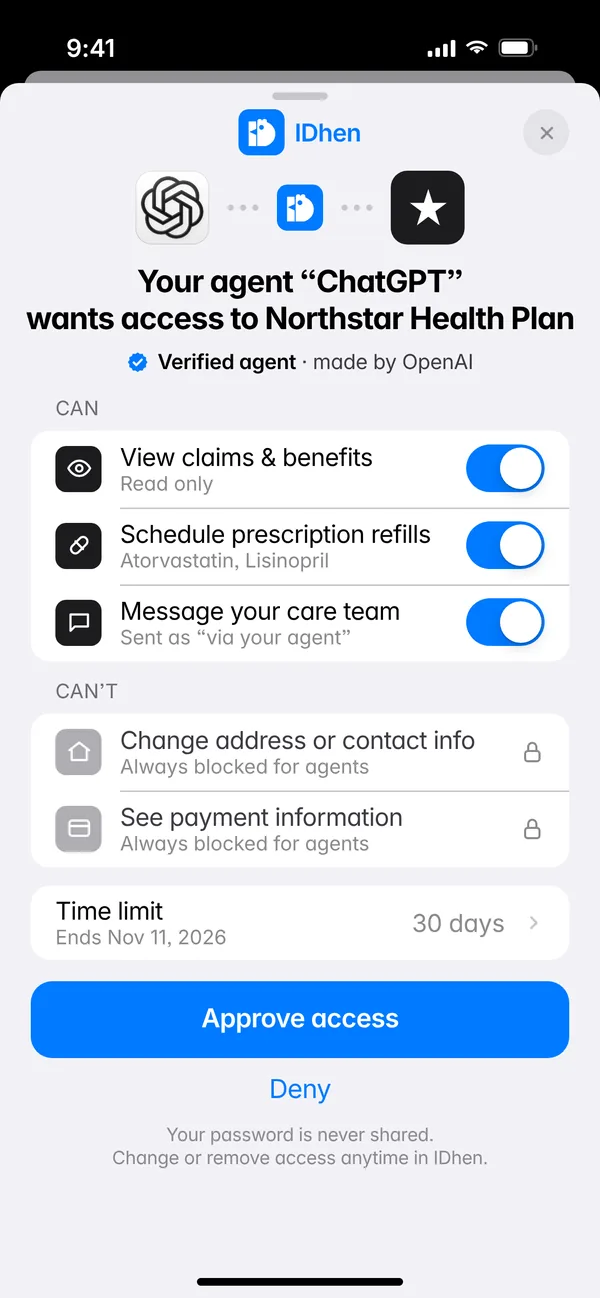
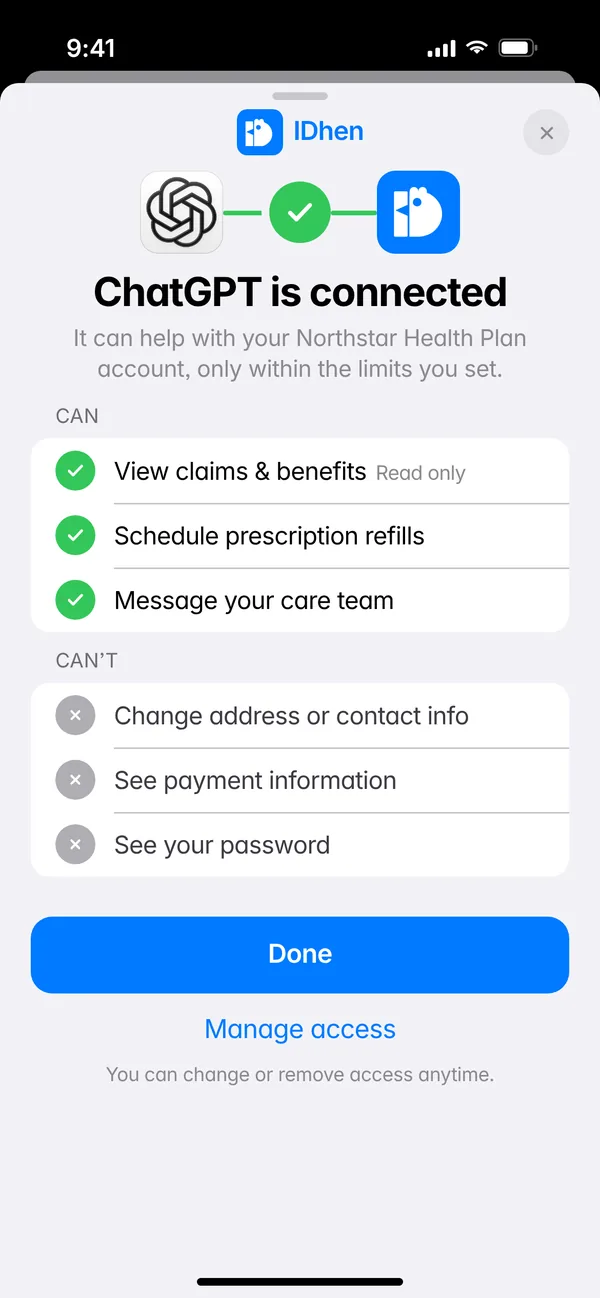
A safe way to let your AI agent help you inside the apps you already use. It gets limited, time-boxed access, and you can change or remove it any time. Look for the “Invite your agent” button.
Does my agent get my password?
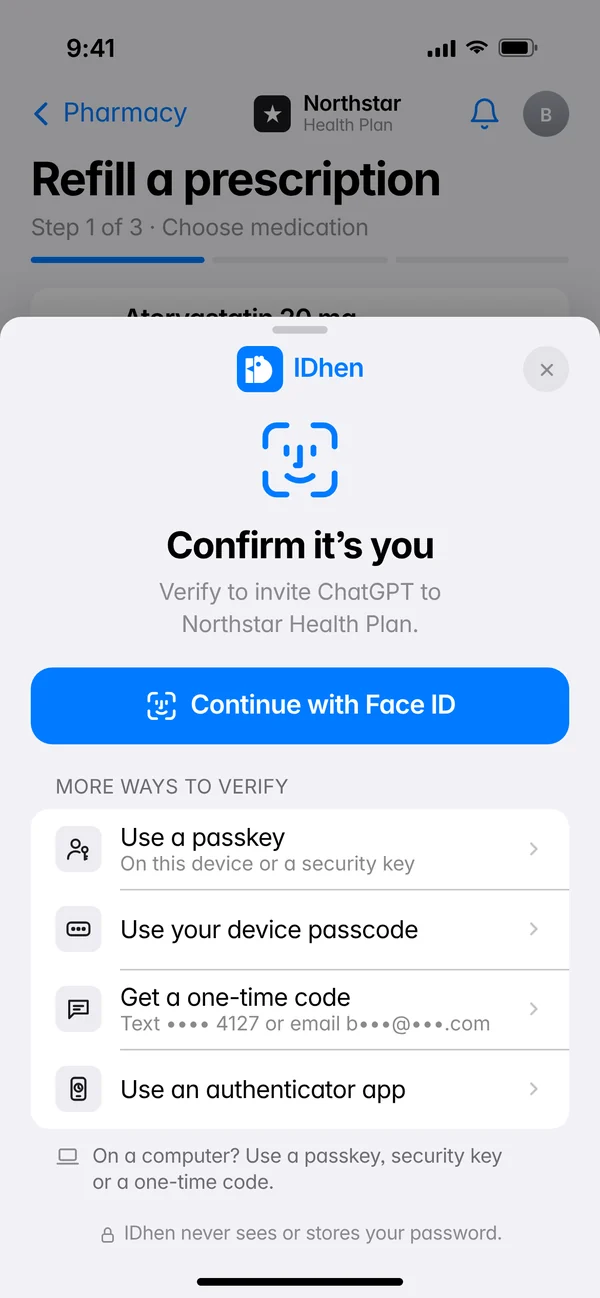
No. It gets its own limited seat in the app, with only the permissions you approve.
What can my agent do?
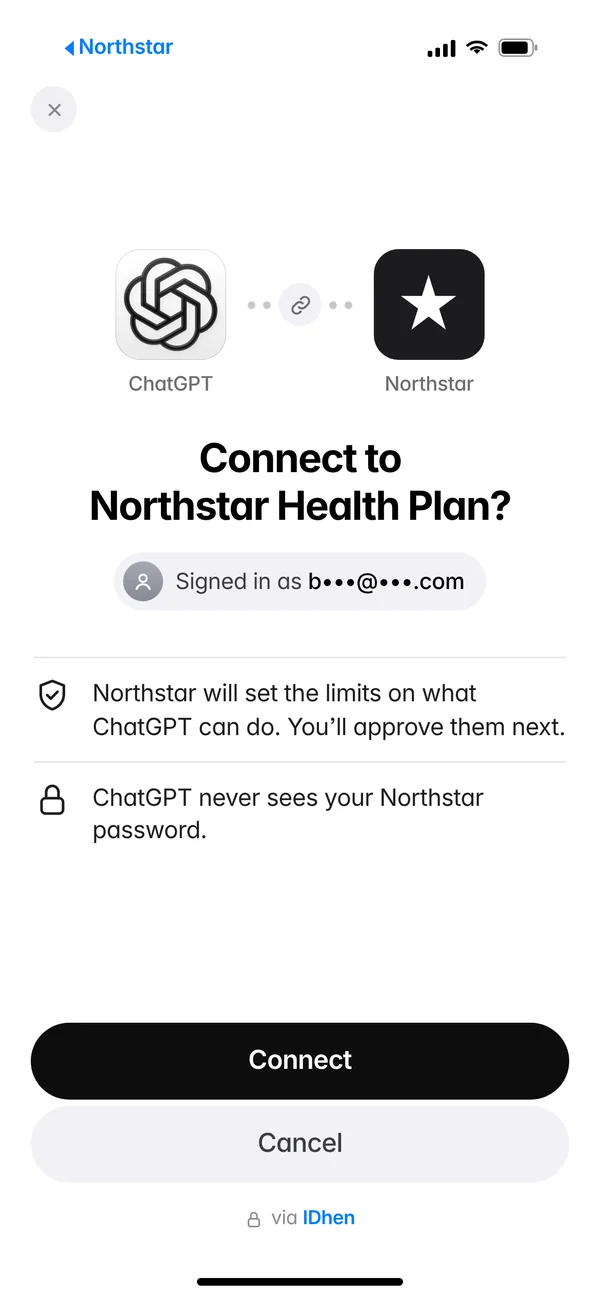
Only what you approve, within limits the app sets. Some actions, like changing your address, are never open to agents.
What happens if an agent tries something it isn’t allowed to do?
It doesn’t get through. Its access only covers what you approved, and the app turns down anything else.
How do I turn an agent off?
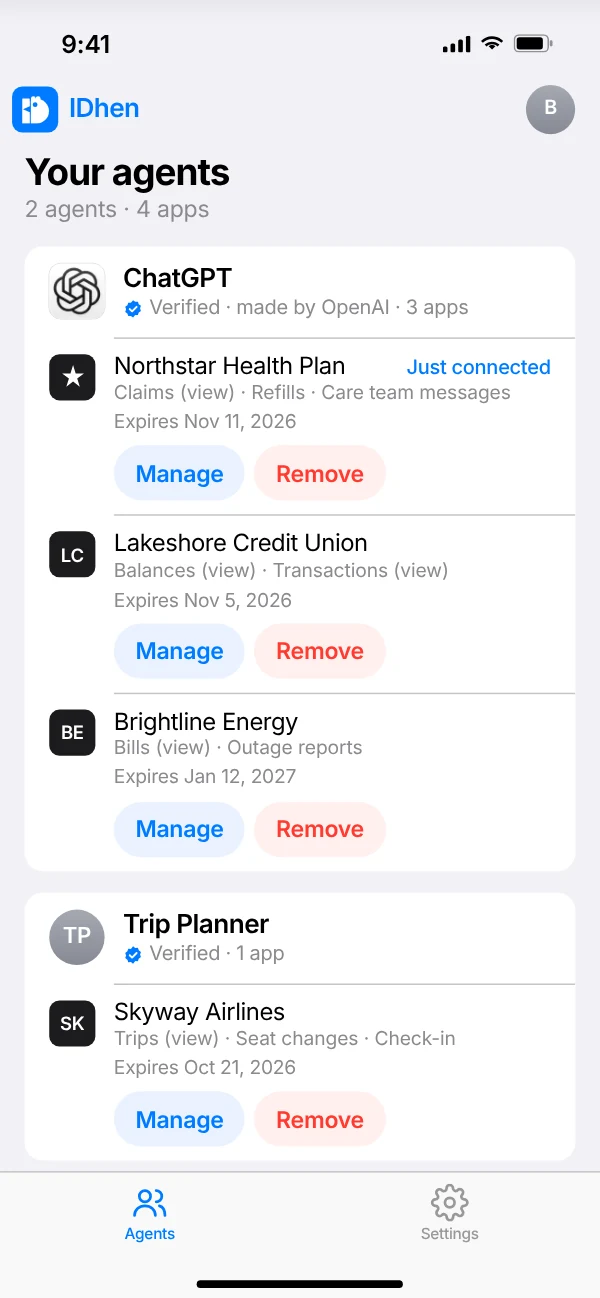
Remove its access from your IDhen dashboard or from the app. You can also remove every agent everywhere at once. If you picked a time limit, access also ends on its own when it runs out.
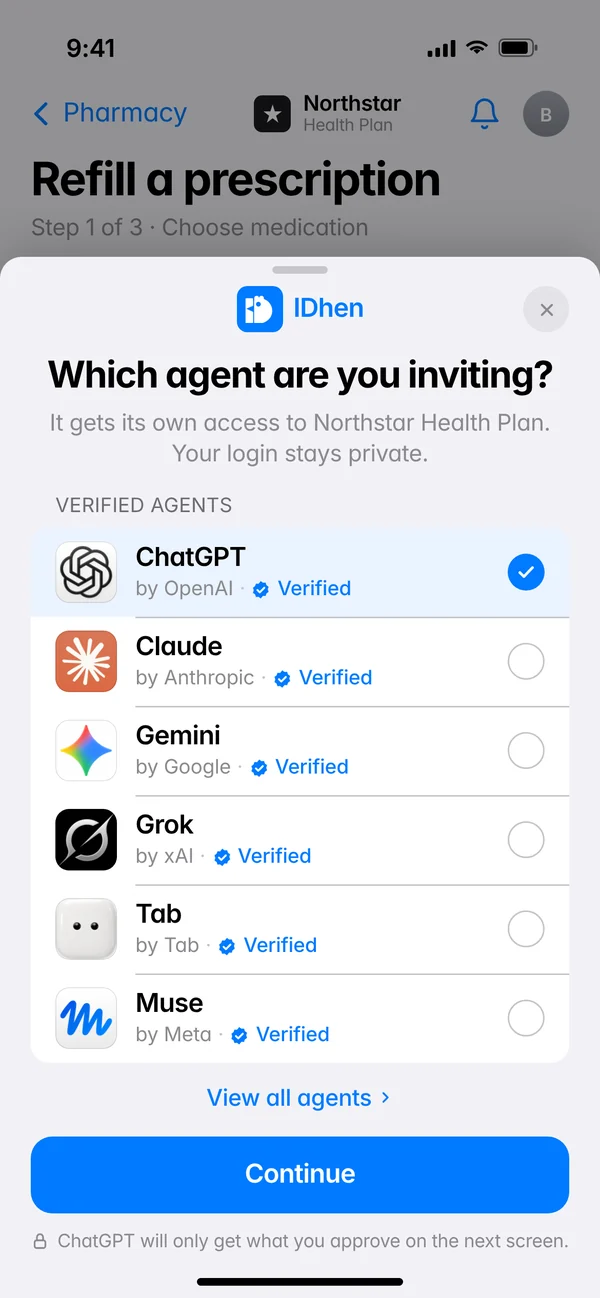
How do I know which agent I’m letting in?
Before you approve, you see the agent’s name, who it belongs to and that it’s been verified. If anything looks off, tap Deny.
Which agents work with IDhen?
The goal is any personal AI agent that can prove who it is and who it works for. We’ll share which ones come first as we get closer.
Where will I see it first?
In the kinds of accounts where people already get help from family or caregivers: health plans first, then benefits, utilities and phone accounts.
Is IDhen available today?
Not yet. Join the waitlist and we’ll email you when you can try it.